Run your hockey team
from one page.
Your schedule, who's coming, volunteer jobs, fair lineups and game stats, all in one place. Families get one link: no app to download and no account to make.
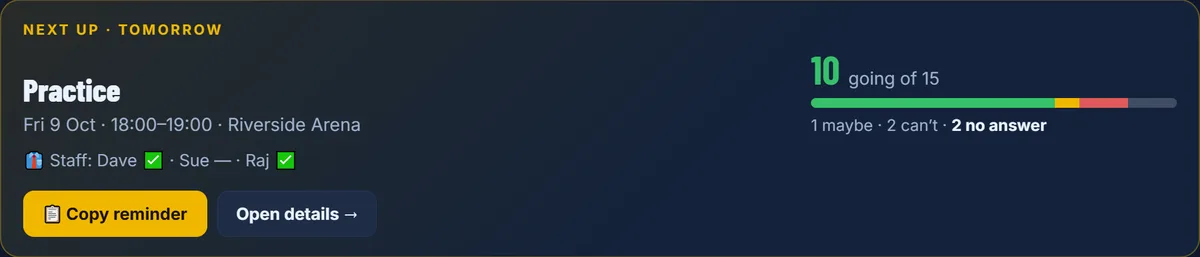
Know who's coming before you get to the rink.
The top of your team page always shows what's next: how many are going, who hasn't answered, and which helper jobs are still open.
- Going, Maybe, Can't and no answer, counted for you
- Copy reminder writes the message for your team chat, with names of who hasn't answered and jobs still open
- A heads-up when you open DrillFlow if something in the next 48 hours still needs you
Bring your schedule in. Don't retype it.
Paste the calendar link you already have, or upload the spreadsheet your league sent. When times change, press Refresh: DrillFlow shows what moved, and families keep their answers.
- Games show home or away and the opponent
- Arena names turn into directions on the family page
- Cancel or delete a batch of events in a couple of taps
One link for every family. No app, no account.
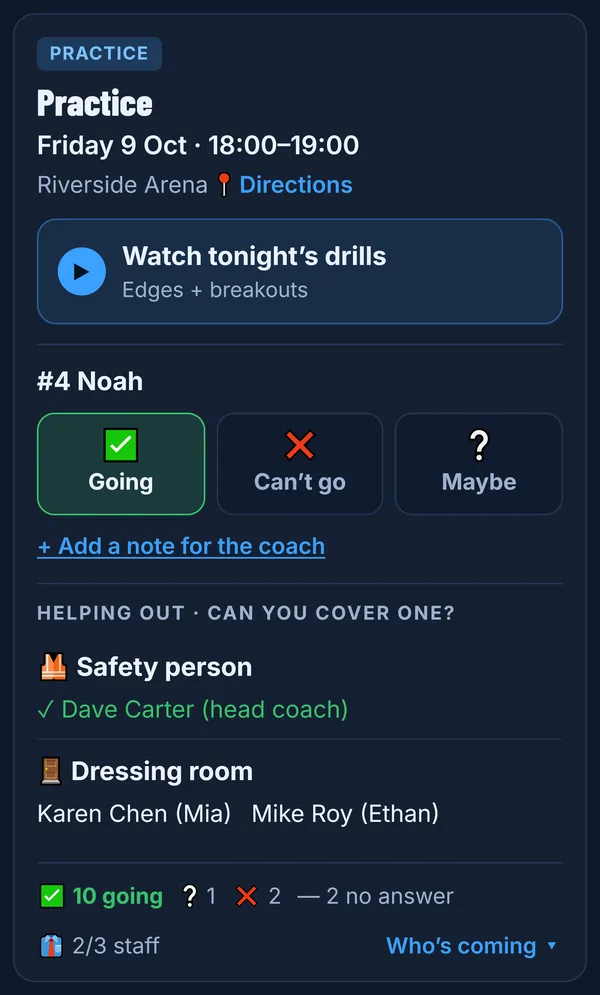
Send one link to the team chat. Parents tap their player once, and their phone remembers it. Every practice and game gets a card with three big buttons.
- Going, Can't or Maybe, plus a note for the coach
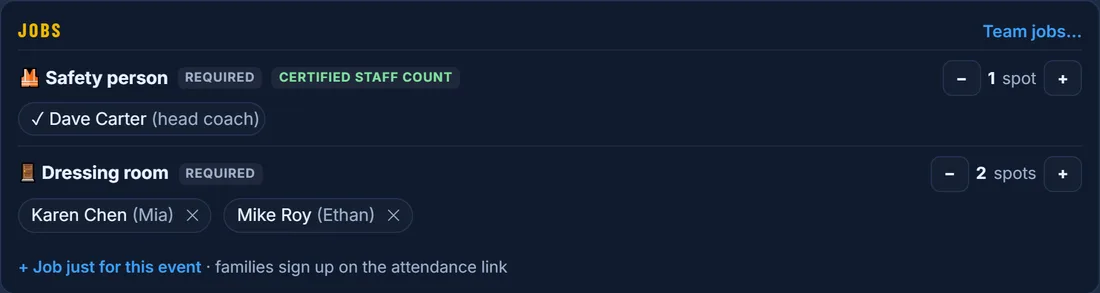
- Helping out: parents sign up for the safety spot or the dressing room themselves
- Watch tonight's drills when you've put a practice plan on that night
- 📺 Watch live on games you stream (YouTube, LiveBarn and more), one link for the season or one per game
- Scores after each game, and season stats if you choose to share them
- Coaching staff answer from the same link, so you know your bench is covered
Fair starting lines, without keeping track yourself.
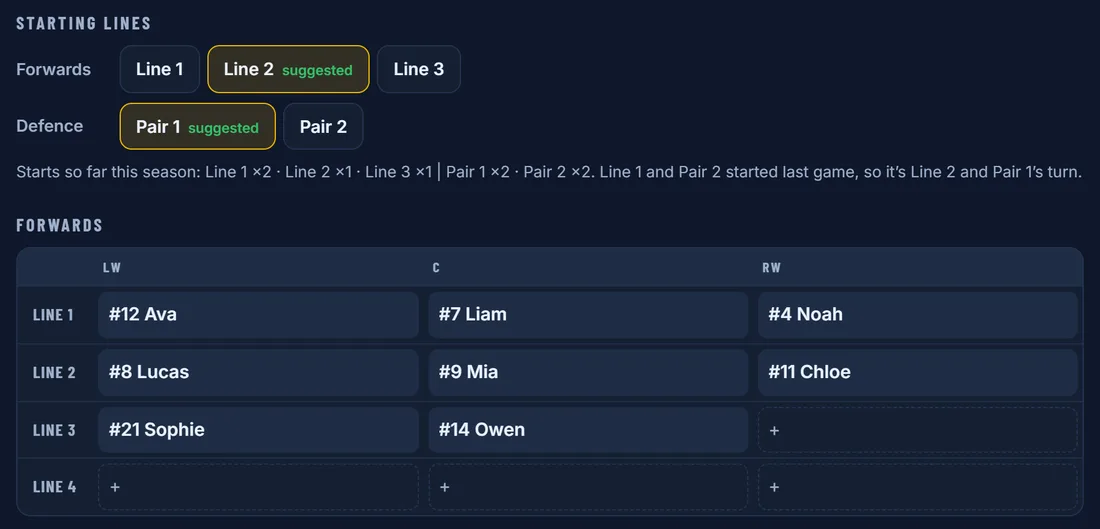
Build your lines from the roster, then publish the sheet. DrillFlow counts who has started each game this season and suggests whose turn it is next.
- Starts from last game's lines, so you only change what's different
- Save a draft, then publish when it's ready
- The published lineup fills in the scorekeeper's dressed list
Any parent can keep stats on their phone.
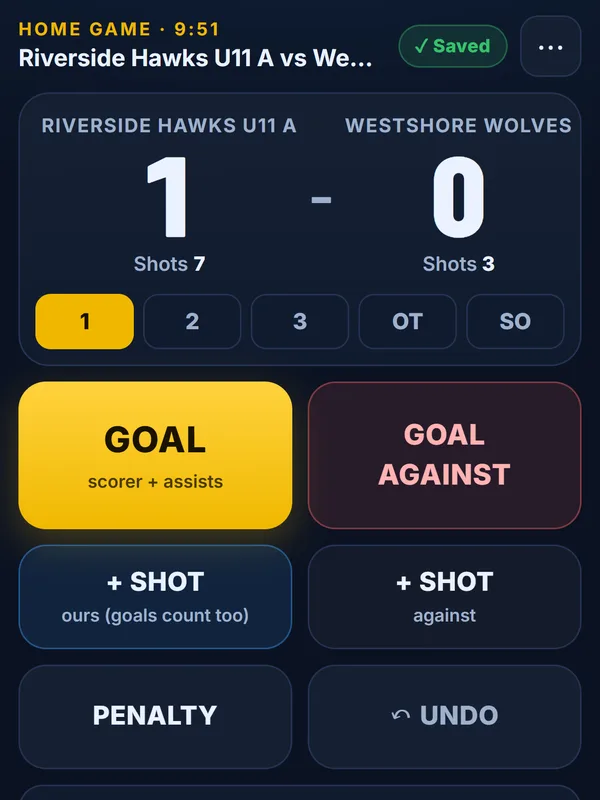
Give the scorekeeper link to a parent in the stands. Big buttons for goals with assists, shots, penalties and Undo. No signup, and no paper sheet to type up after.
- Works at rinks with no signal: taps save on the phone and send later
- Several phones at one game are combined into one game sheet
- A practice game to learn the buttons before the real one
- Goalie saves and goals against go to whoever was in net
Season stats and a report for every player.
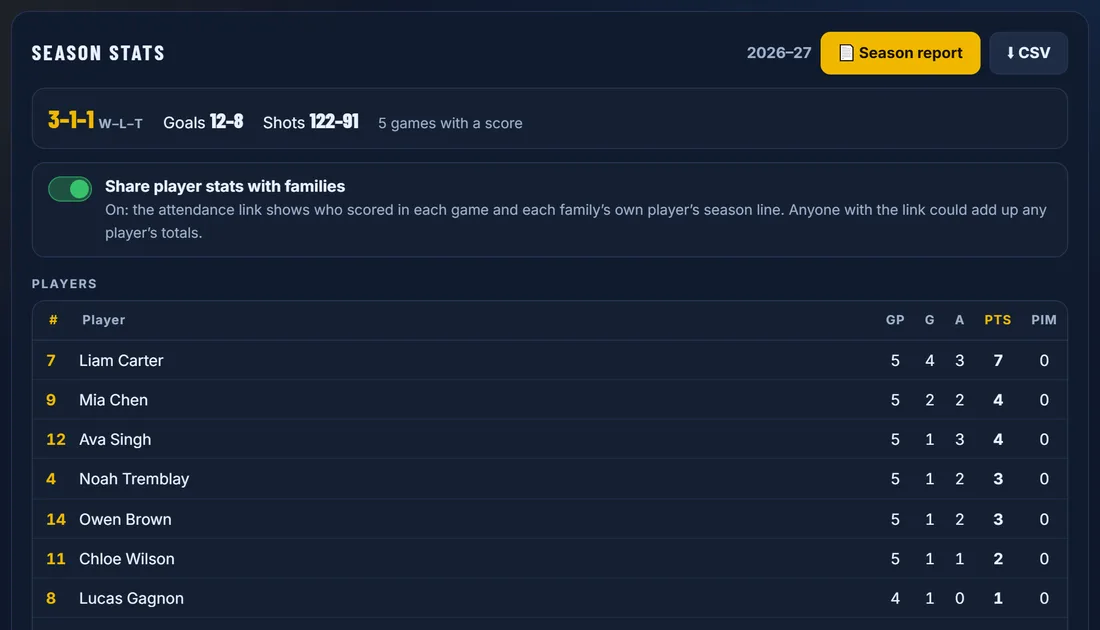
Every game sheet adds up on its own: your record, points, penalty minutes, goalie save percentage, and who came to practices and games.
- End-of-season report: one printable page per player, with your own note for each
- Download a spreadsheet (CSV) any time
- You decide whether families see stats
The drills come with it.
Teams is part of DrillFlow Coach, alongside the drill builder, practice plans and the parent calendar.
Questions coaches ask
Do parents need to download an app or make an account?
No. Families get one link. They pick their player once, and the phone remembers it. It works in any phone browser, and they can add it to their home screen.
Can I bring in the schedule from our league or another team app?
Yes. Paste a calendar link (any .ics link, for example from TeamSnap, Google Calendar or your league's site) or upload a spreadsheet. Refresh picks up changes later, and families keep their answers when a time moves.
What does it cost?
Teams is part of the DrillFlow Coach plan: $9 a month or $90 a year (CAD), which also includes unlimited saved drills, practice plans and the parent calendar. You can try it free for 7 days with no card. See plans
Can more than one parent keep stats at a game?
Yes. Any number of phones can use the scorekeeper link at the same game. Their taps are combined into one game sheet, and the coach can fix anything afterwards.
Does the scorekeeper work at a rink with no signal?
Yes, once the page is open. Taps are saved on the phone and sent as soon as it is back in range.